I was just semi-complaining that I was still looking for a decent way to backup my +6k posts without having to use paid services or even just wordpress (which has an import from tumblr tool that asks for permission to access your blog and also make posts), when I decided to actually put some effort into my google search.
Results were positive: I have successfully backed up my blog*
*By which I mean: everything that I have ever posted. Not included: drafts, queue, likes, followers, following, comments, notes, chat.
I followed this method (word by word), and now have a 450 MB folder on my computer with the name of my blog on it containing:
1. Folder “Archive” (contains .html files listed by month) 2. Folder “Media” (contains gifs and images, mine has +1k files in it; might contain also audios but I have no way of confirming that because I’ve never reblogged an audio post from this blog) 3. Folder “Posts” (contains single .html files, each one a post; I have +4k files in it) 4. Folder “Theme” (contains only my avatar, but it might be a matter of if you have personalized themes or not) 5. .html file “Index” (by opening it it will give you the archive of your blog organized by month; clicking on a month will open up the archive for that month, and you’ll be able to read all the posts for that month as if you were on your blog**, except sans your theme graphic, with each page containing 50 posts)
**I can see gifs, links, embedded videos, tags, number of notes (but I can’t open up the notes, clearly), text is also correctly formatted.
So yeah, in case anyone wants a very quick way to back up their blog, it took me less than 10 minutes.
P.S. I didn’t have any issue, but to be on the safe side always check for spyware and virus threats before and after downloading anything.
this is actually really useful if you have an art blog full of years of work that you otherwise no longer have access to the original files. A lot of the art I have in the early days of my art blog are in that boat. I did this process JUST for that reason and I was pretty astonished at just how many pieces of media it backs up! (literally all of it) Drawings I didn’t even realize were sitting in my archive due to having been posted to text posts or undercuts, or untagged for years! It’s worth it if just for that, even if tumblr isn’t shutting down or deleting your blog.
The sky isn’t falling, Tumblr isn’t deleting all the dirty fan art on purpose, and fandom isn’t going to leave Tumblr tomorrow.
However…
Once a site starts using bots to delete content willy-nilly, it has a serious problem and is not a safe home for fandom. In this case, the aim was to get rid of child pornography. (Actual child pornography.) The problem was already so out of control that they hit a bunch of innocent blogs by accident.
If this happened once, it’s going to happen again. It’s going to keep happening until Tumblr’s limited staff is so overstretched that they stop even a vague pretense of caring about false positives and accidental deletions of other content.
I’ve already seen several posts going around telling people to “calm down” and assuring us that Tumblr isn’t out to get us. Tumblr is not out to get us, but they’re not out to help fandom either, and you should definitely not calm down.
Make your other accounts now.
Have somewhere to go when Tumblr finishes imploding.
Two bits of advice:
-back up your stuff. make copies of your important text posts. save your media elsewhere. tumblr has a built in backup tool. use that.
-let your friends know where else to find you. fannish exodus works best when we end up the same places. (may I suggest dreamwidth?)
Last I heard dreamwidth was not a great option because it’s servers are in Russia. Many of us think of the internet as something that lives “in the cloud, up there somewhere” but much of it’s infrastructure is hosted in rooms full of servers around the world. The server’s physical locations are subject to the laws of those areas/countries.
That’s Livejournal, dude, notDreamwidth.
Dreamwidth is a similar-looking site that started off as a code fork of LJ. It is run by a tiny team in the US and is explicitly fandom-friendly. They’ve already been attacked by having people tattle to paypal and get their paypal suspended. They had to find a (more expensive for them) credit card processor that wouldn’t hold them hostage, demanding they change their content policies.
From the ‘open expression’ part of their about us page:
“We believe in sustainability, not profiteering. We want to grow our business slowly and steadily, in a way that can support the community instead of exploiting it. We don’t own you or your content – we hope that you’ll empower us to be your hands and trust us to build a community that can last.
We will remain third-party-advertising-free. We believe it’s possible to run a sustainable hosted service without resorting to third-party advertising or third-party sponsorship – and we’re committed to showing you what we’re taking in, what we’re spending, and where the money’s going.”
The problem with Dreamwidth is that it looks old-fashioned and doesn’t have all of the features fandom likes: The image hosting is minimal, and there’s no reblogging.
What it’s great for is text discussion with threaded comments (for which we use reblogs here, but for which reblogs frankly suck).
The people and policies behind the site are all great.
As someone who’s moved with fandom from BBBoards and Yahoo groups to Livejournal to Dreamwidth and AO3 and Tumblr and most recently to Pillowfort – it seems to be par of the course for sites that are NOT fandom-made to sooner or later become unfriendly or less usable to fandom.
Dreamwidth may be quiet, but it’s made by fen, and I will keep supporting it with my money and looking in now and then to see old friends. I will keep supporting AO3 that was born out of that same needs for the fandom to own the servers. I would suggest people not forget fanlore.org – it’s your fandom lore wiki, and you can create an user page for yourself to direct anyone how to find you in case one of your main non-fandom-maintained fannish-community sites goes boom (a lot of us did when LJ purges and Delicious blowout and other stuff like that happened, here’s mine with my fannish contact info – https://fanlore.org/wiki/User:Calime ).
We will no doubt be ousted from many a wide world web pasture in the future like we were in the past, but fandom network is resilient and stays around. Also, please, don’t forget your history and keep supporting the sites and organisations that fandom has made for the fandom, like AO3 and OTW, or the ones that like-minded people have created to be fandom-friendly, like Dreamwidth.
Dreamwidth is the best option for conversation/text/meta. It’s fan run/designed and while as above sharing images and the like is extremely limited and you can’t reblog, it’s very fandom friendly, and it’s easier to control your blog and who sees what.
(If you don’t like not being able to reblog, you can bookmark posts at least to your “memories” or send them to other people and show them that way, so that’s a thing?)
The irony of my original post up there!
Consider the sky officially falling. Go make a DW. It’s free. When Pillowfort is back up, go look at that. But make a Dreamwidth now!
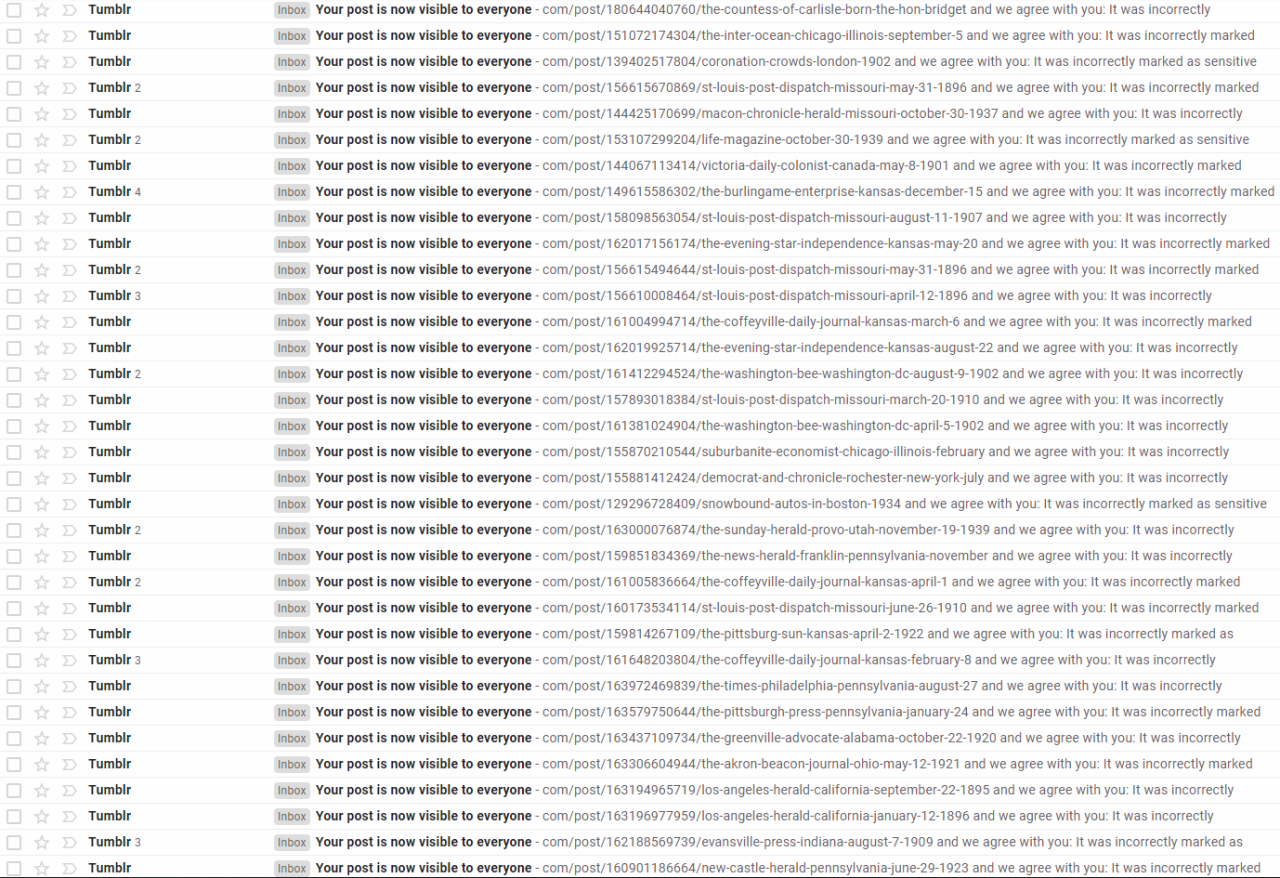
For example, I posted an illustration of a dog and a chicken who were friends and it got marked as “sensitive”.. but they’ve usually been pretty quick about removing the flags when I notice them. It’s also slowed down a lot, for a while it felt like it was like 1/5 posts and now it’s maybe 1/200 that get flagged.
The FAQ says:
What will happen to my adult content already on Tumblr?
Starting today, we will begin sending out email notices to members of the Tumblr community whose content has been flagged as adult. This email will provide a link to the post(s) in question and a form to appeal our decision if you think we have made a mistake. Starting on December 17, 2018, any post(s) that have been flagged will be reverted to a private setting viewable only by you.
Will I get kicked off of Tumblr if I’ve uploaded adult content in the past?
We’re removing content, not people. However, those who repeatedly and deliberately post new content that violates our updated guidelines may have their account deactivated per our Terms of Service. If you feel you’ve been incorrectly suspended, you can appeal here.
So it seems like you’d have to violate their new rule quite a few times before they’d suspend your account. But they do seem to like flagging my posts, which makes me worry that if they keep thinking my chickens-and-dogs are porn they’ll deactivate me!
If that does happen, I’m on Twitter here, Facebook here, and Yesterday’s Print has it’s own website here.
The policy change sucks though, because there are quite a few blogs I follow who post/reblog historical stuff that I find super interesting, and also post happen to sometimes post vintage nudity (like @zeehasablog, @mudwerks, @vintagemen1800s1900s, @ten-hills, @whataboutbobbed, @jeanfivintage etc). For myself, I don’t really care if there’s nudity or not here. I am worried that they’ll be leaving.
Okay, folks. So. Tumblr’s jumped the shark in a big way, and I’m not even just talking about indiscriminately blocking all “adult” content on a platform that IS, in fact, primarily 18+.
Many blogs, like the wonderful @blackkatmagic , that are not especially NSFW have vanished.
(And I for one LIKE being able to go to curated porn blogs run by actual people and have a chance of finding stuff to my taste, it was one of the things that kept me on this hellsite, but that’s another issue entirely.)
I know lots of people are talking about migrating, but none of us are sure to where yet. Pillowfort seems to be an option, some people are talking about Twitter. But for now, it’s a mess, and even if we knew where we were going, it’s often a huge process, and a lot of us have stuff on tumblr that ONLY exists there.
One possible quick solution to save your blogs, both NSFW and personal, is to import it to WordPress. I found this solution through from frantic googling on how to save an entire blog, text posts an all. There are several apps for downloading all the pictures from a tumblr, (Plently for Windows, but only a few paid ones for mac, of which Tumbelog Picture Downloader is working for me so far) but this is the only solution I’ve seen so far that allows you to save EVERYTHING. I downloaded my NSFW blog in like 10 min. My regular blog, which is significantly larger, is in the process of importing, but I don’t anticipate any problems. I will, of course, update you if I have any.
This tutorial I found worked really easily. http://quickguide (.) tumblr (.) com/post/39780378703/backing-up-your-tumblr-blog-to-wordpress
I put parenthesis around the .’s like we’re back in FF-Hell, just in case tumblr’s new thing about outgoing links kicks in. You know what to do.
To break it down, just in case:
Sign up for a WordPress.com account at wordpress (.) com/start
You’ll have to create an account, with your email, a username, and a password. They should send you a confirmation email immediately, check it, activate it, and you’re good to go.
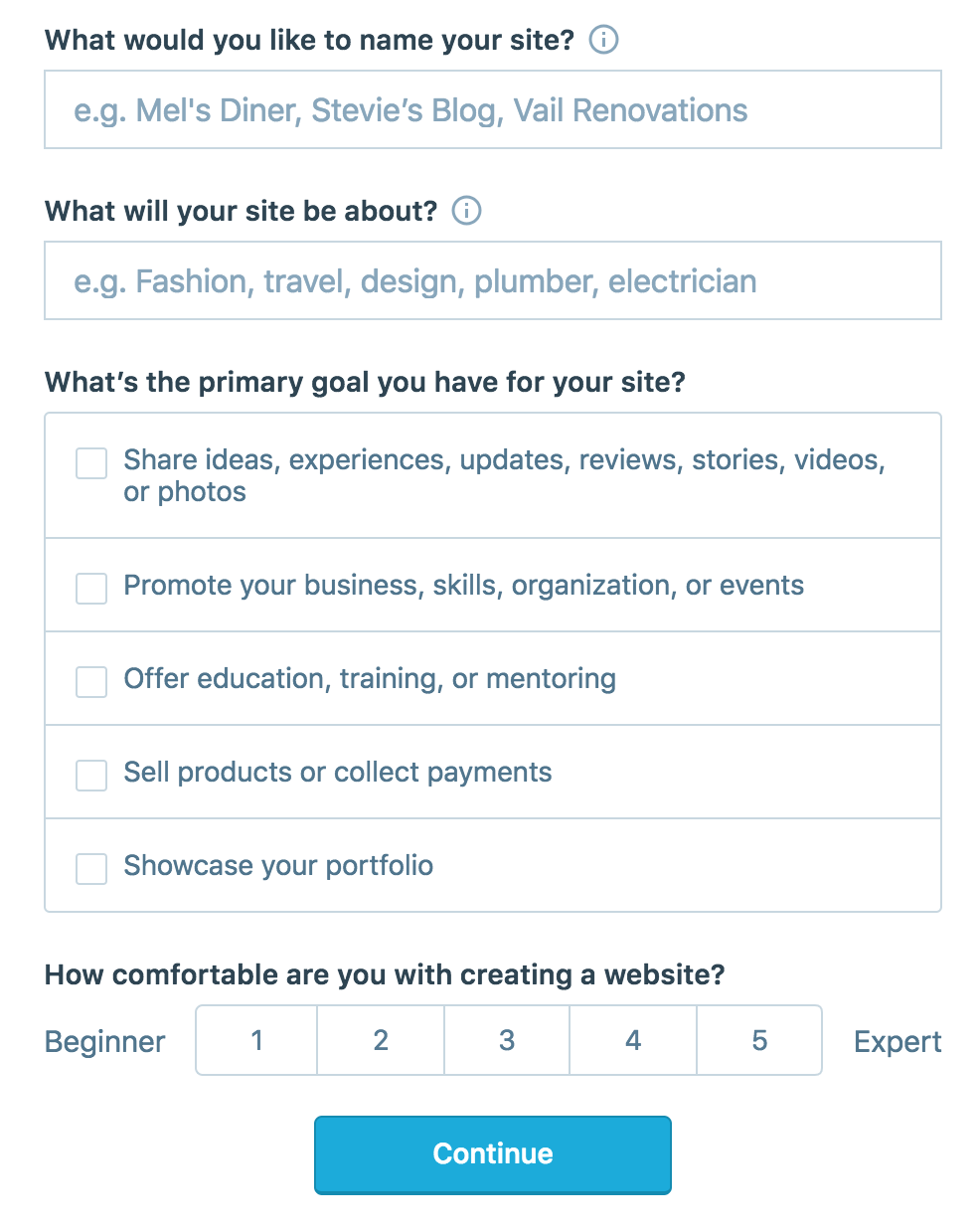
On the site, it will ask you for a site name. That page asks you a bunch of other information too, but you only have to fill out the site name.
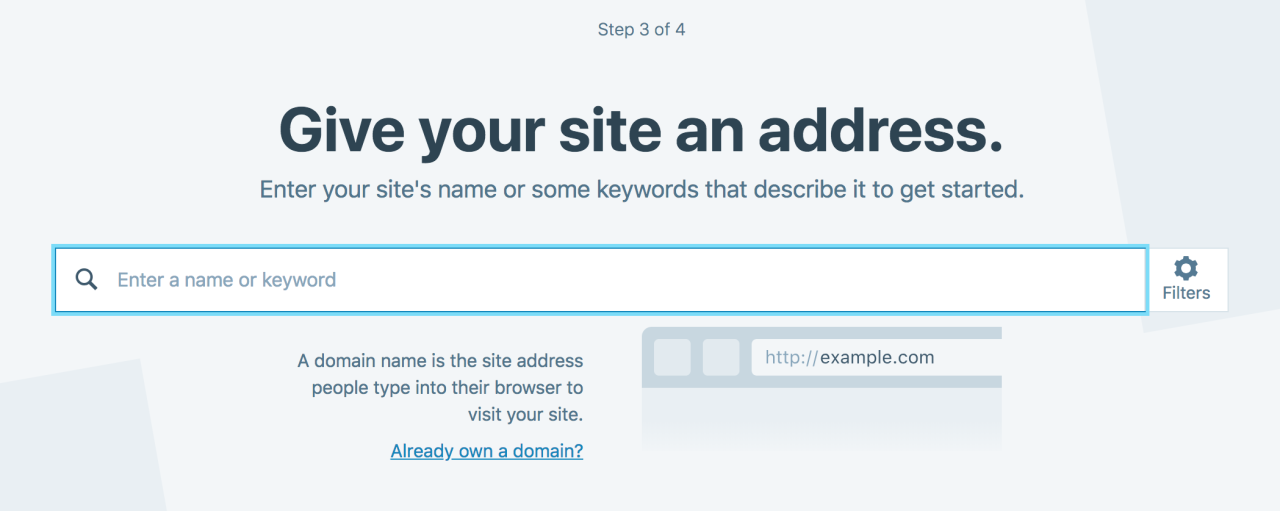
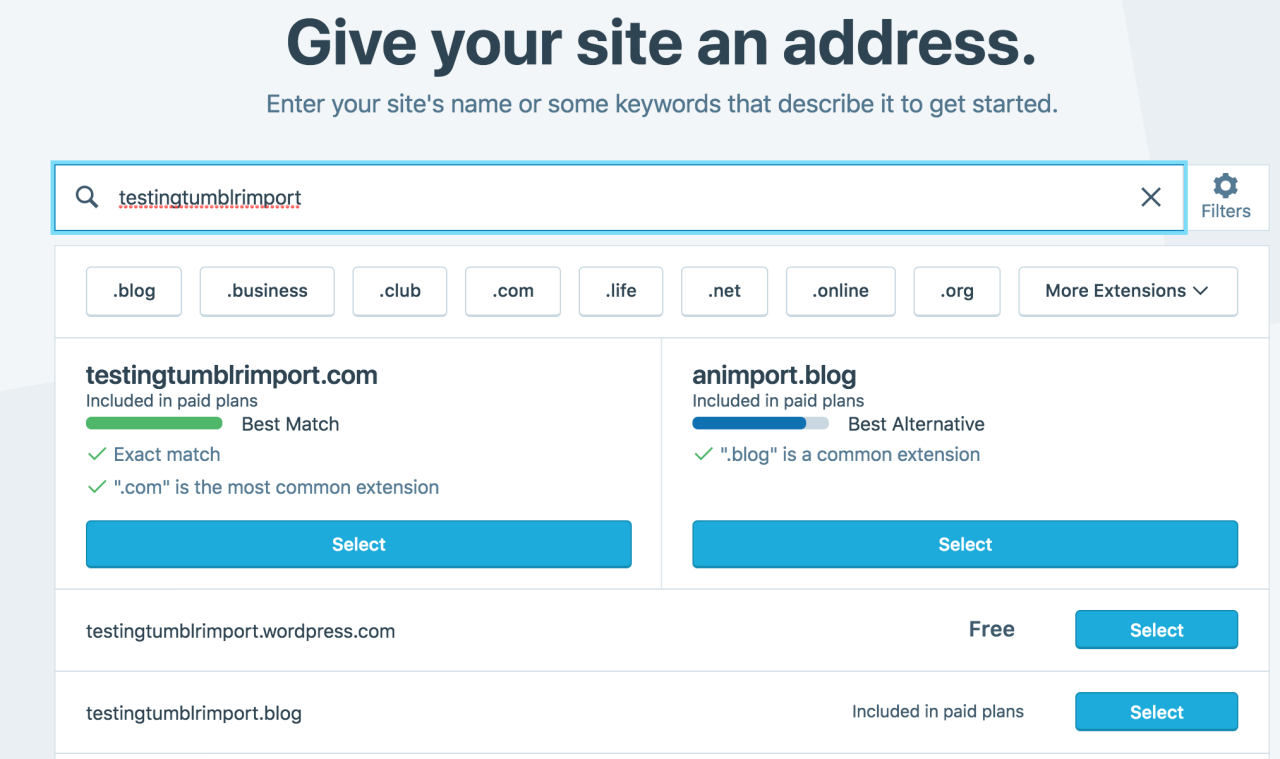
Then you have to give your site a URL. If you’re lucky, your tumblr URL is still available, if not you’ll have to come up with another one, sorry.
It will tell you if that option is still available for free.
Then it will ask you to pick a plan. Free is really good enough, I swear.
Now you’re set up! You can import your tumblr!
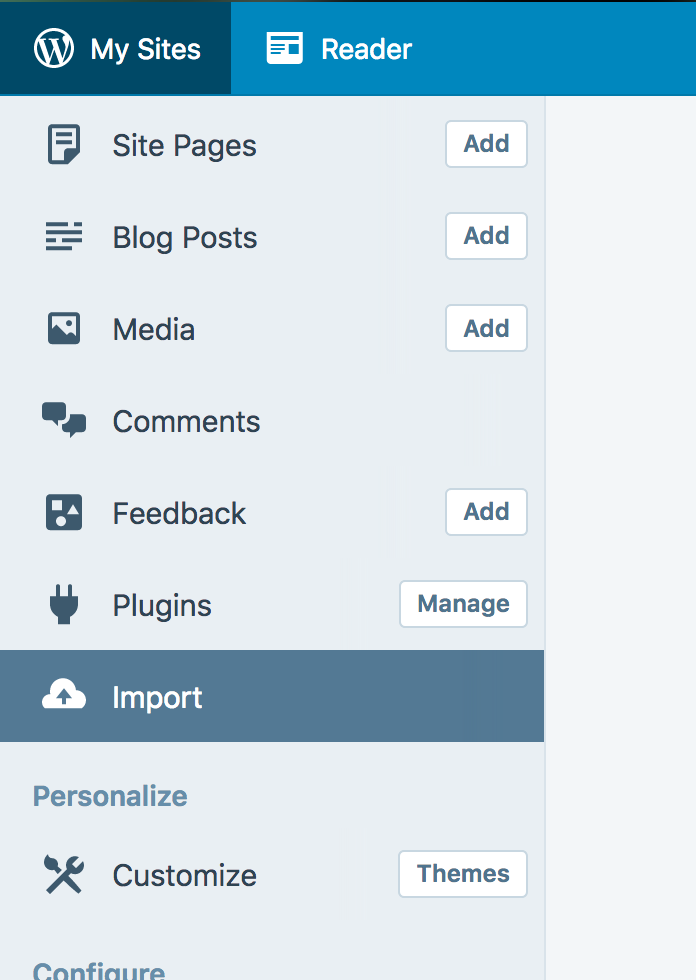
The only differences from the linked tutorial are that the Import button is now on the first level menu, not in tools.
Hit Import, then you have to follow the link for “other importers” at the bottom, to find the option for Tumblr.
Then you’ll have to sign in with tumblr, using your normal tumblr credentials. You’ll be redirected there automatically.
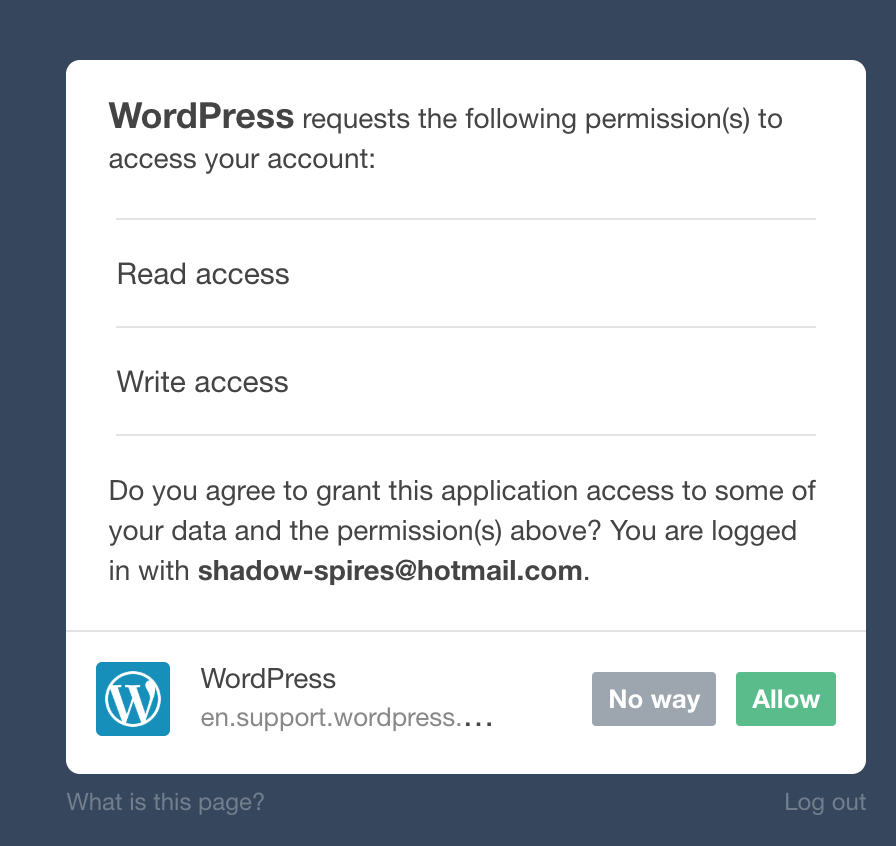
You’ll have to allow WordPress permissions on your blog.
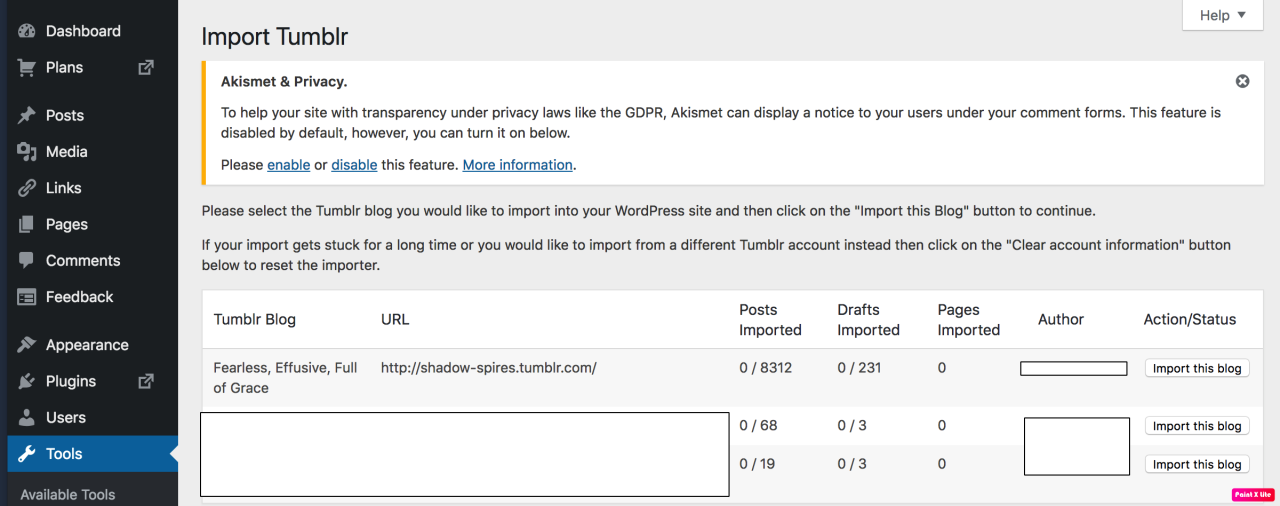
Then your blogs, including all your sideblogs, will show up in wordpress.
Hit import, wait a WHILE depending on the size of your blog, and you’re done!
ALSO!!
I made my NSFW blog private for now, since I don’t know WP’s policy on NSFW.
This means that to access it, someone has to have an account and request access. But hey, part of our problem on this hellsite has been people going places they aren’t wanted, so I don’t personally see this as a bad thing. They can send a request from the landing site on your blog, you get an email, click a link in the email, and PRESTO, they have access.
To make it private, go to Settings > Reading > Site Visibility. Go back and check, it took me changing the setting twice for it to actually stick.
tl;dr, you can import your entire blog to wordpress in just a few steps.
I’m going to tag the hell out of this, in no particular order. PLEASE reblog this and spread the word so people know it’s an option. If you’re having trouble, PM me, and I’m happy to help.
As we are moving towards a period of more decentralized fandom, if you want to support the artists who are going to be hard-hit by this loss of platform/audience, here’s what you can do to help to help the art-side of fandom stay motivated enough to produce content:
credit artists
link to their current media/platforms to the best of your ability
with artist’s permission, share their credited work on whatever fandom platforms you end up moving to if it’s not a site that they have migrated to
help others keep track of where their favorite artists are now
if you’re using discord to look at art, remember to check out the actual link and maybe give feedback there, because telling your friend that you like the art they linked does nothing for keeping the artist arting
Erotic text is still currently allowed under tumblr’s new policy, but it might not be later, so keep these things in mind for fic authors too.
And just in general, it’s not just content creators that need support and security. Look around at the friends you’ve made here. Think about how you’ll keep in touch with them. Think about how you might reminisce and be sad if the “next tumblr” comes along and they felt too lost to have stayed in fandom long enough to meet you there. Be kind; show love. Everyone’s a little scared and sad now – creators, rebloggers, and lurkers. We’re all looking forward at December 17th with uncertainty and indecision, and that’s okay.
We’re not scared because we loved the blue background or the activity page design, we’re scared because of the people, friends, heroes, admirers, peers, validation, love, and happiness that we feel slipping away. And so long as we hold onto the bonds that matter most to us, this will all pass a lot less painfully than we fear.
If you’ve been meaning to get in touch with someone, but have been putting it off or feeling shy, now’s probably the time. If you wanted to make friends, note down someone’s accounts, form a discord or mailing-list with your buddies, now’s the time.



 Sandra Soapbox Cosplay